A system shaped to how your business actually runs.
Start with whatever keeps slipping, like fees, bookings or leads, and add the rest as you go. Your team and your AI work in it under the same rules, and your customers reach you through it.
Clinic: the Reception dashboard. Booked today: 24 appointments. Follow-ups due: 7 patients. Patients per week.
Gym: the Front desk dashboard. Renewals due: 39 memberships. Lapsed members: 12 clients. Check-ins per day.
Accounting firm: the Filings dashboard. Due this week: 14 filings. Overdue: 3 filings. Filed per month.
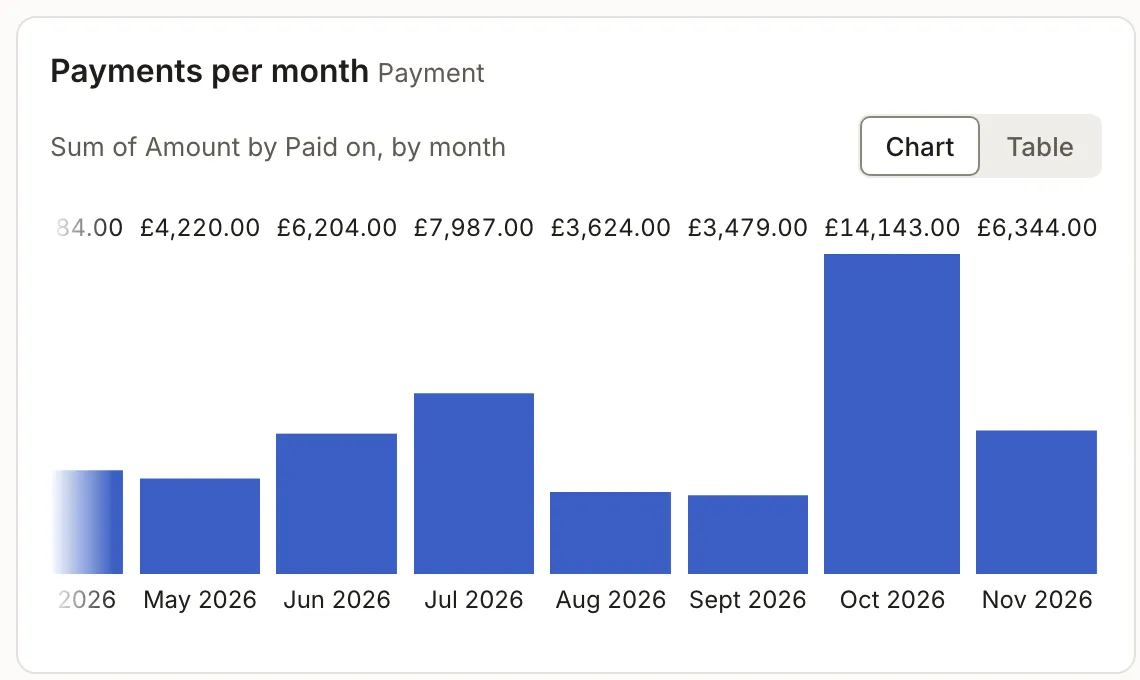
Repair shop: the Workshop dashboard. Open job cards: 17 job cards. Ready for pickup: 5 job cards. Payments per month.
Software company: the Support dashboard. Open tickets: 12 tickets. Waiting over a day: 3 tickets. MRR by month.
Describe your business, and it’s set up for you.
Tell us how you run it, or tell Claude or ChatGPT. What you keep track of, your forms, reminders and dashboards, and the app your team signs into all come from that one description.
A SaaS company. Customer accounts on monthly plans, support tickets from a form, and a nudge when a ticket waits over a day. Troshu sets up: Accounts, company · plan · MRR · renews on; Tickets, TKT-0042 · status · assignee; Support, form with screenshots, to embed; Assignee, notified when a ticket is theirs; Nudge, ticket open over 24 hours; Dashboard, open tickets · MRR by plan.
A salon with three stylists. Clients book a service with a stylist, never two at once, and get a reminder the day before. Troshu sets up: Clients, name · phone · last visit; Services, price · duration; Appointments, one at a time per stylist; Booking, public form with open slots; Reminder, the day before; Dashboard, today’s appointments.
A CA firm. Clients with their PAN and GSTIN, a filing for every deadline, and a reminder to the client a week before one is due. Troshu sets up: Clients, name · PAN · GSTIN · partner; Filings, type · period · due date · status; Documents, attached to each filing; New client, intake form, ready to share; Reminder, 7 days before a filing is due; Dashboard, due this week · overdue · filed.
A gym with monthly, quarterly and annual plans. Members book classes. Remind them 3 days before their plan ends. Troshu sets up: Members, name · phone · plan · ends on; Plans, monthly · quarterly · annual; Classes, time · capacity 20 · bookings; Free trial, public form, ready to share; Reminder, 3 days before a plan ends; Dashboard, renewals due · lapsed · trials.
Work in the app, or ask the AI you already use.
Connect Troshu to your Claude or ChatGPT, and it can look up, update and draft for you under the same rules as your team. You can see everything it changed, and nothing it writes goes out until you send it.
In the app: the Payments overdue view lists 4 customers owing ₹18,400, oldest first,Rahul Mehta ₹6,200, 21 days late; Sneha Kulkarni ₹4,800, 12 days late; Arif Khan ₹4,200, 9 days late; Kavya Nair ₹3,200, 4 days late. A reminder to Rahul Mehta is written from the Payment due template, ready to send.
Ask your AI: “Who still owes us for November? Remind them, politely.” It answers that4 customers owe ₹18,400, Rahul Mehta the oldest at 21 days late, and that it has drafted a reminder to each, waiting in Troshu for you to send. It works with Claude and ChatGPT.
See it run a business, screen by screen.
Real screens, the way your team would see them.
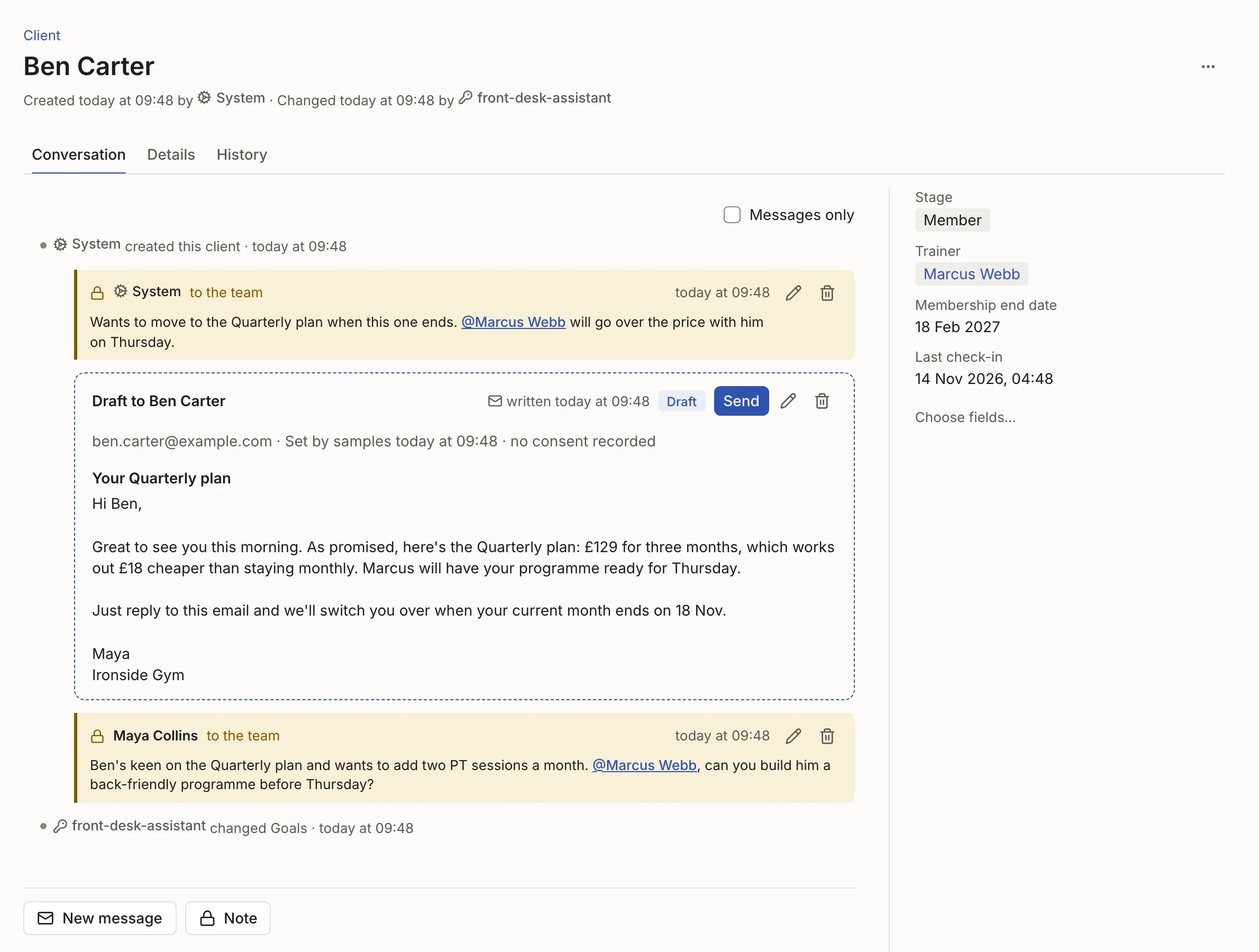
Every customer, with everything about them on one page.
Emails and replies, your team’s notes, and the details that matter, side by side. Nobody digs through an inbox to find out who said what.
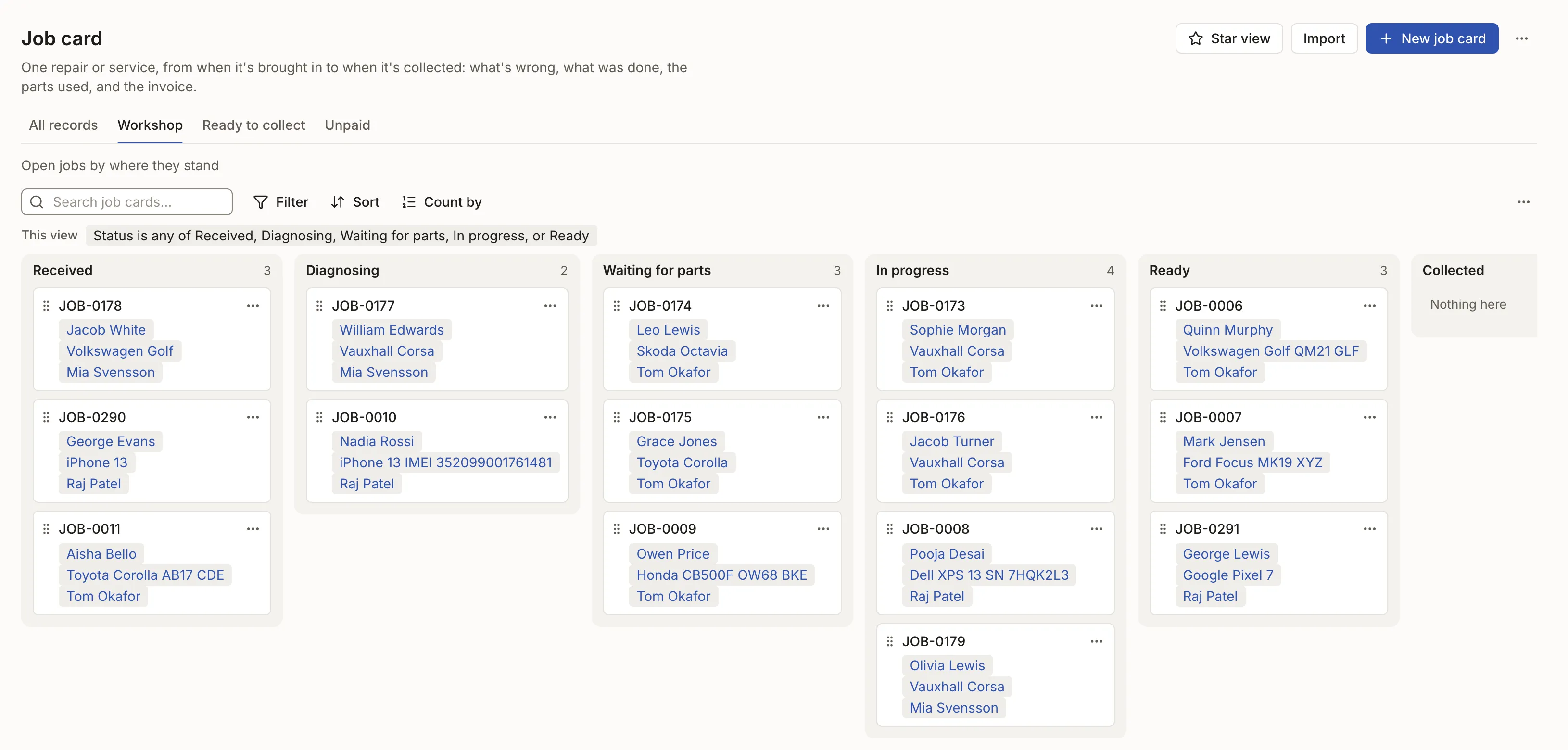
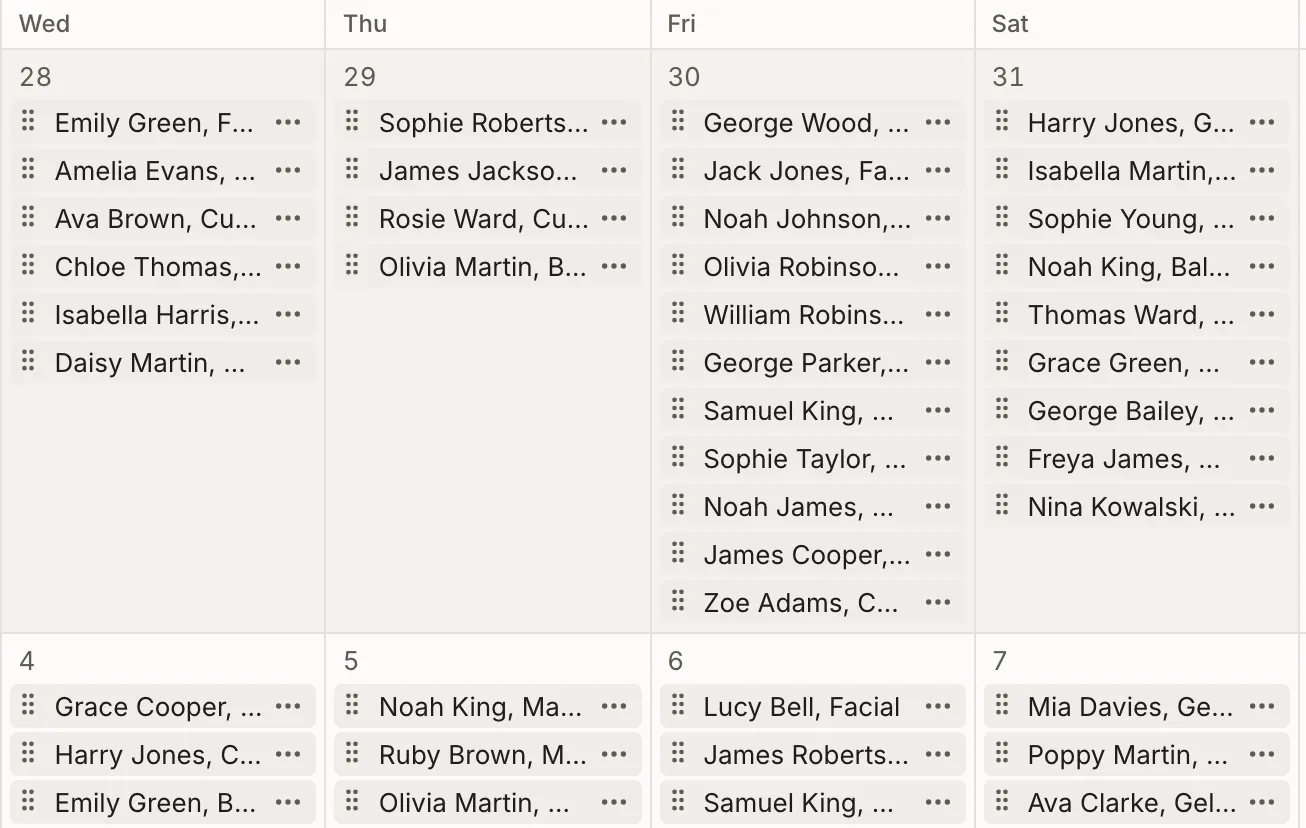
See the week as a board, a calendar or a chart.
Drag work across a board, see who’s booked on a calendar, or chart how the month went. Any of them can sit on a dashboard.
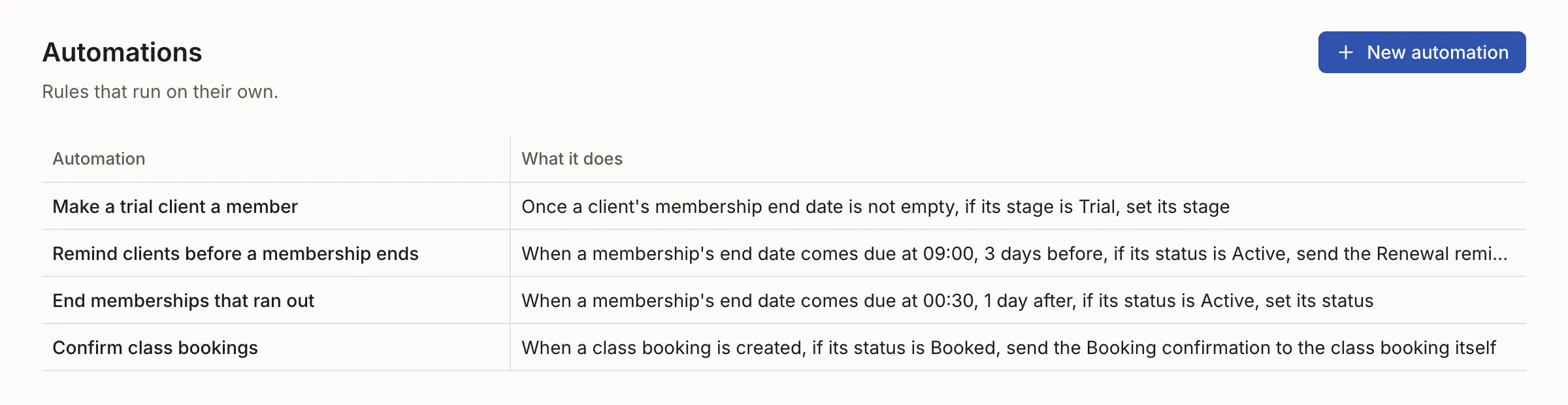
The routine work runs on its own.
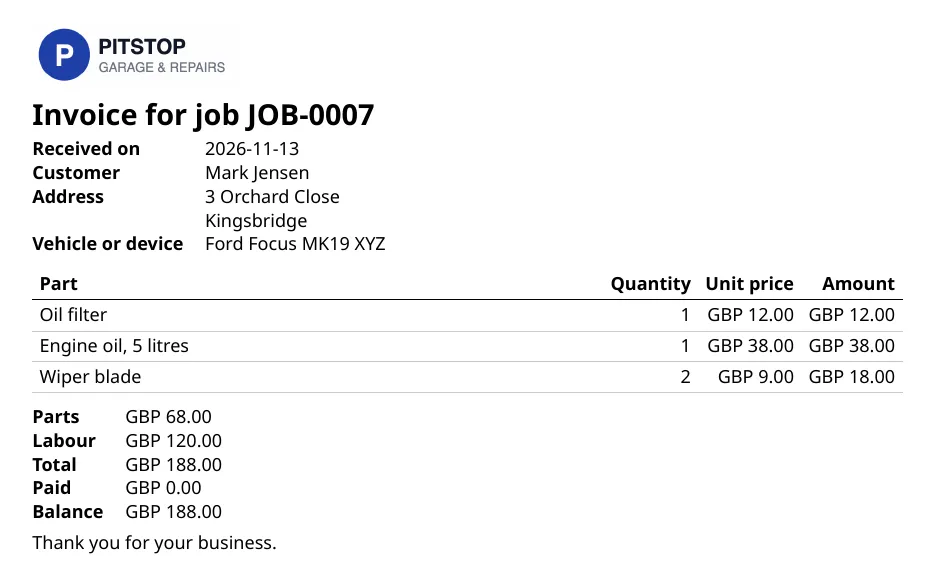
Reminders and confirmations go out on time, customers book from a form that knows what’s left, and any record becomes a PDF, laid out once.

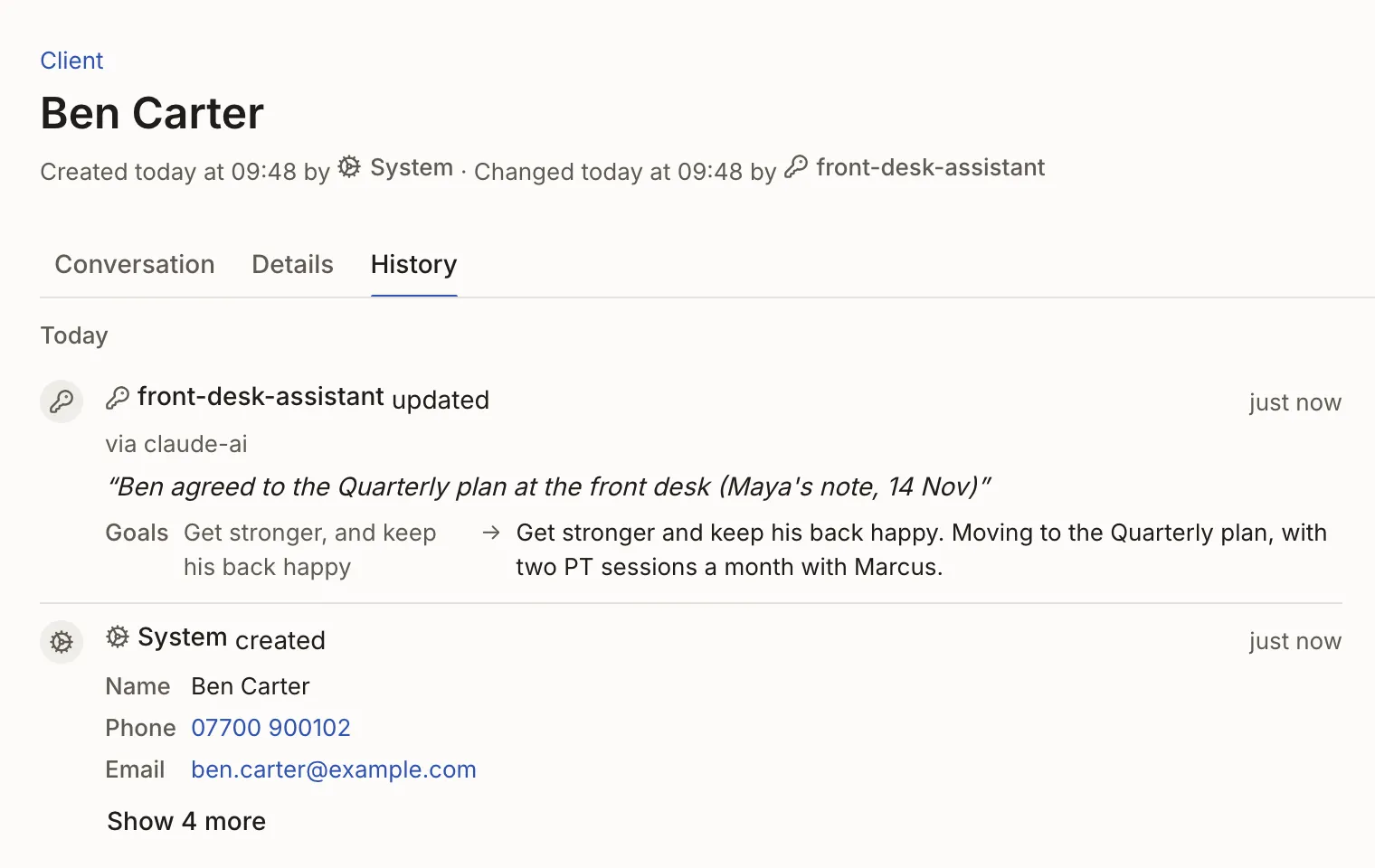
Mistakes are stopped, and you can always see who changed what.
A delete that would leave a payment behind is refused, with how to fix it. Every change records who made it and why, your AI assistant’s included, and anything deleted can be restored for 30 days.

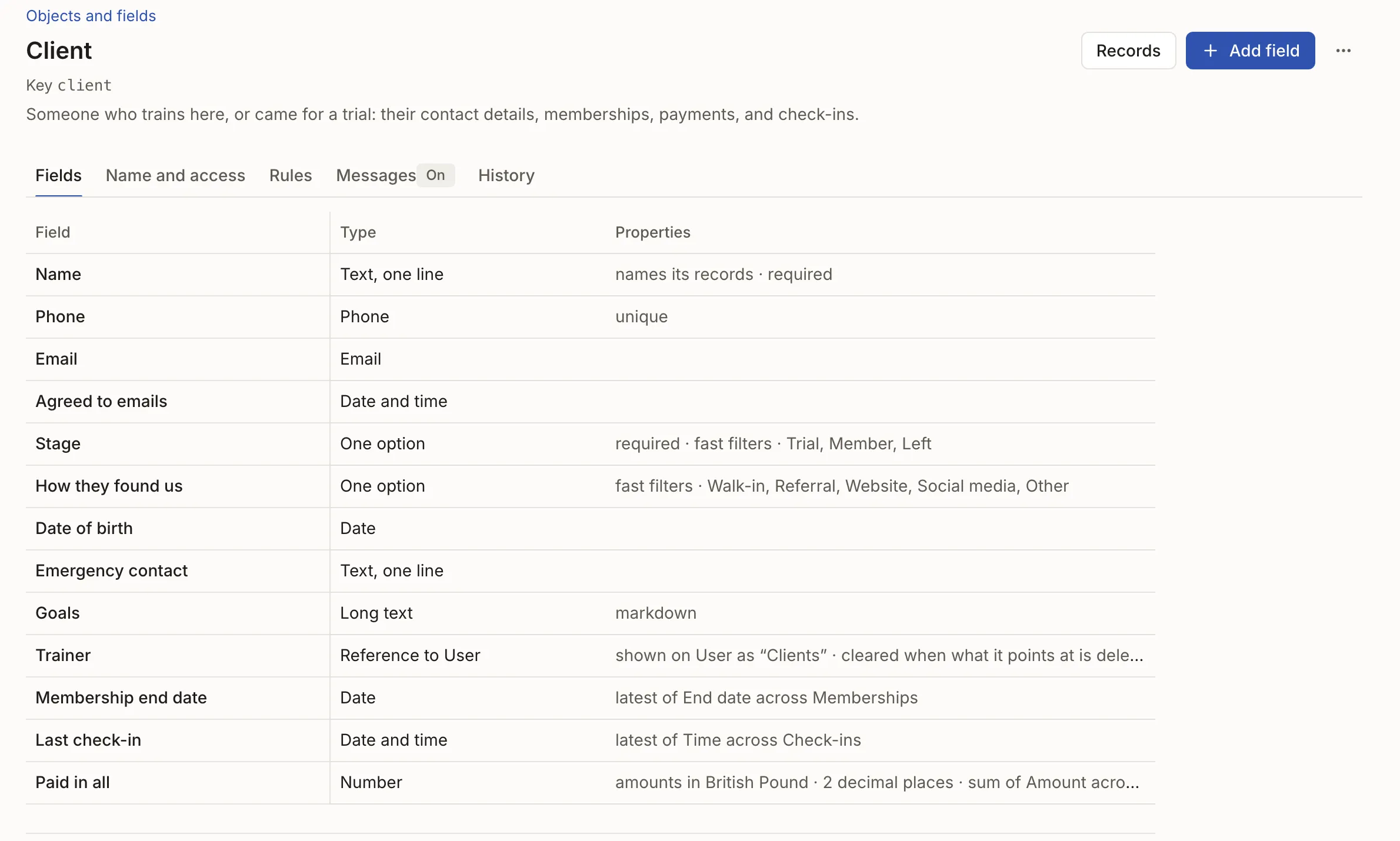
Add a new service or fee anytime. Nothing you’ve recorded is lost.
Add a detail you track, a new stage or a whole new list. Everything already there carries on, with its documents and reminders.
Fits like a spreadsheet. Holds like real software.
Spreadsheets let mistakes in, industry apps don’t bend, and a vibe-coded app is yours to keep right and keep running. Here it fits and holds, in one place, with nothing for you to look after.
| What matters | SheetsSpreadsheets | Industry appsIndustry apps | Vibe‑codedVibe-coded apps | Troshu |
|---|---|---|---|---|
| Fits how you work | ✓Yes | ✕No | ✓Yes | ✓Yes |
| Keeps your records right | ✕No | ✓Yes | ✕No | ✓Yes |
| Changes when you do | ✓Yes | ✕No | ✓Yes | ✓Yes |
| Your AI works in it safely | ✕No | ✕No | ✕No | ✓Yes |
| Nothing for you to look after | ✓Yes | ✓Yes | ✕No | ✓Yes |
| Everything in one place | ✕No | ✕No | ✓Yes | ✓Yes |
Your data is safe, and it’s yours.
Everything you keep here is backed up, seen only by the people you choose, and yours to take with you.
- Backed up every day, in two places
- One copy with our hosting company and another with a separate one, so a problem at either doesn’t cost you your work.
- Yours to take
- Download anything as a spreadsheet whenever you like, or ask us for a full copy with every file.
- Seen only by who you allow
- Each person changes only what their role allows, private details like salaries can be kept to a few people, and your AI gets only what you grant it.
- No passwords to steal
- Everyone signs in with Google or a one-time link sent to their email.